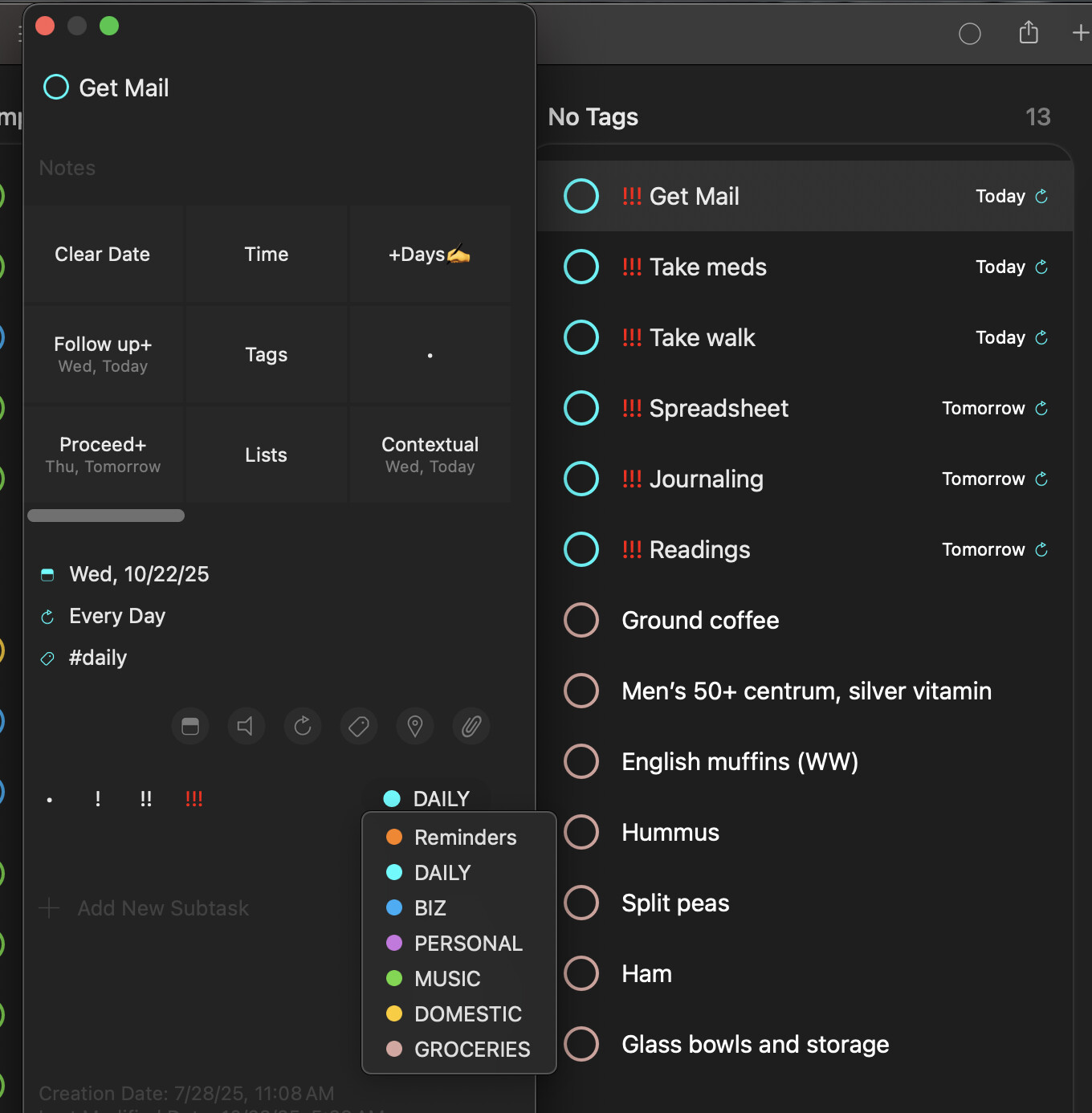
I’m trying to add the tag #daily so I can use it on any task. I thought I did that by adding the tag to a task and then it showed up later as available to use with any task. But it’s not. I added it individually to 6 different task with no luck. On the tag board those 6 tasks show up as No Tags (see screen cap). Even though #daily show up in the little submenu right here, anywhere else in the program when I call up a list of tags to choose from, it’s not in those lists. I’m stuck. Any help. How to I add a task to make it available universally throughout GoodTasks?
Thanks for the feedback.
Would you check Settings > Sort > Edit: Tags and see if it’s set to Automatic?
Also inside each list, you can Edit List and set Tags separately per list. You may need to check that too.
Thanks!
Thank you! It’s set to manual which is how I like it, but you showed me where to add tag globally (and how to change their order). Thank you so much.
1 Like
The major problem is solved for me, but one issue remains and it may be a bug. Although the tag I added in Settings > Sort > Edit now show up when adding tags to tasks. But, it doesn’t show up in Quickacction (or right click) > Tags. Also, in the Tag board the six tasks that have the new tag are still listed under No Tags.
I did as you recommended: also edited lists for Tags. As best I can tell all is well there (all tasks that should have the new tag, do).
If you have tag set for the list on list's settings, it should read that first. If it's empty, it'll fetch from default Settings page's tags list.
If it's not working, try Settings > Advanced > Delete local cache files and restart the app and see if it works. Thanks!