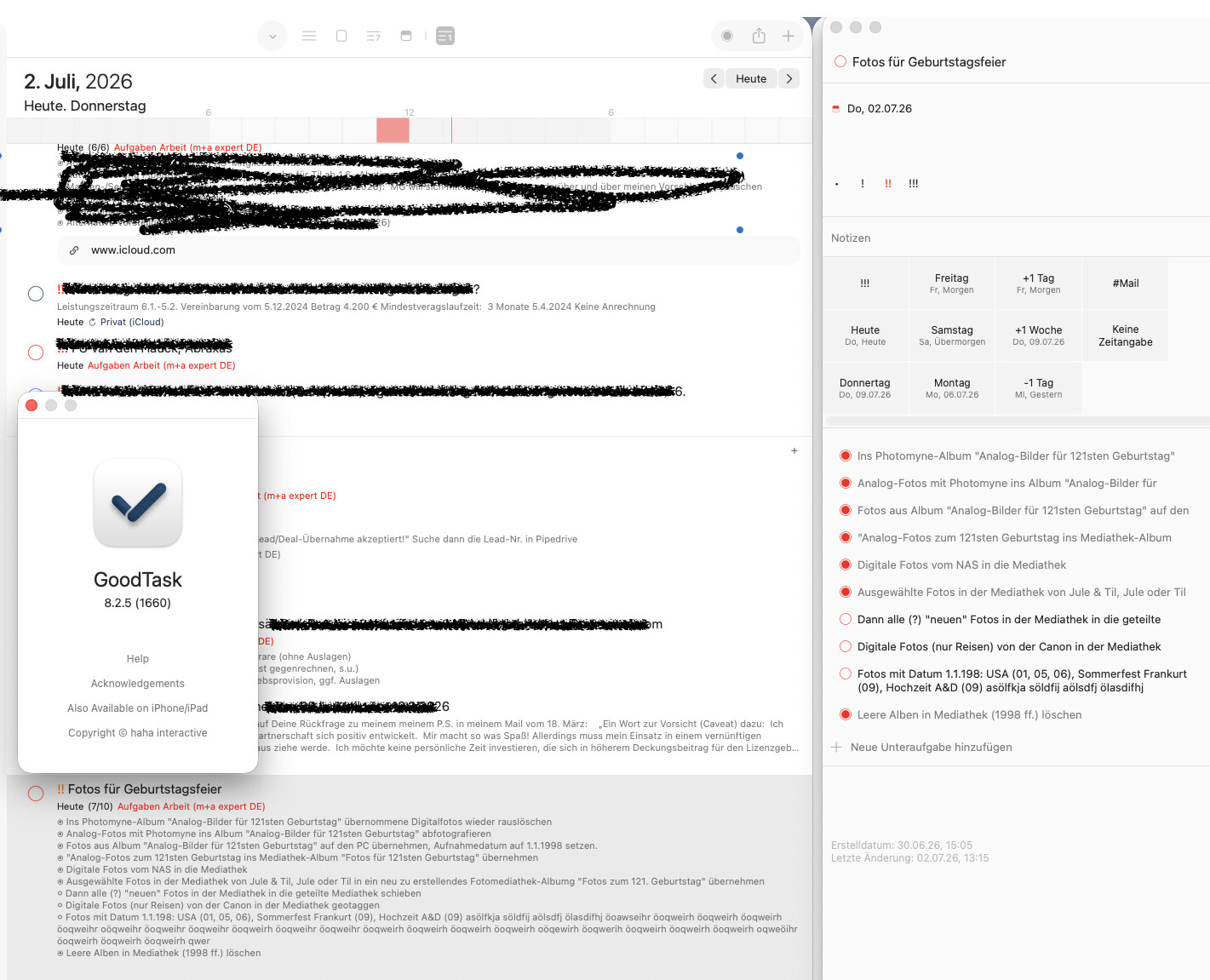
Thanks for the feedback. I’m not quite sure what you mean. Normally it should show well. Try updating the app to the latest version and check. If the issue persists, please share screenshot of the issue. Thanks!
Thanks for the screenshot. It seems like a bug. I'll check why it's not showing multi-line subtasks properly on task detail pane. Normally it should. Thanks!
Hi @TRq , I'm having hard time trying to figure out the cause. It seems like your screenshot does not show task detail pane properly. Would you capture the page so that all of task detail pane are shown properly? Also Try resizing it and see how it changes. Thanks!
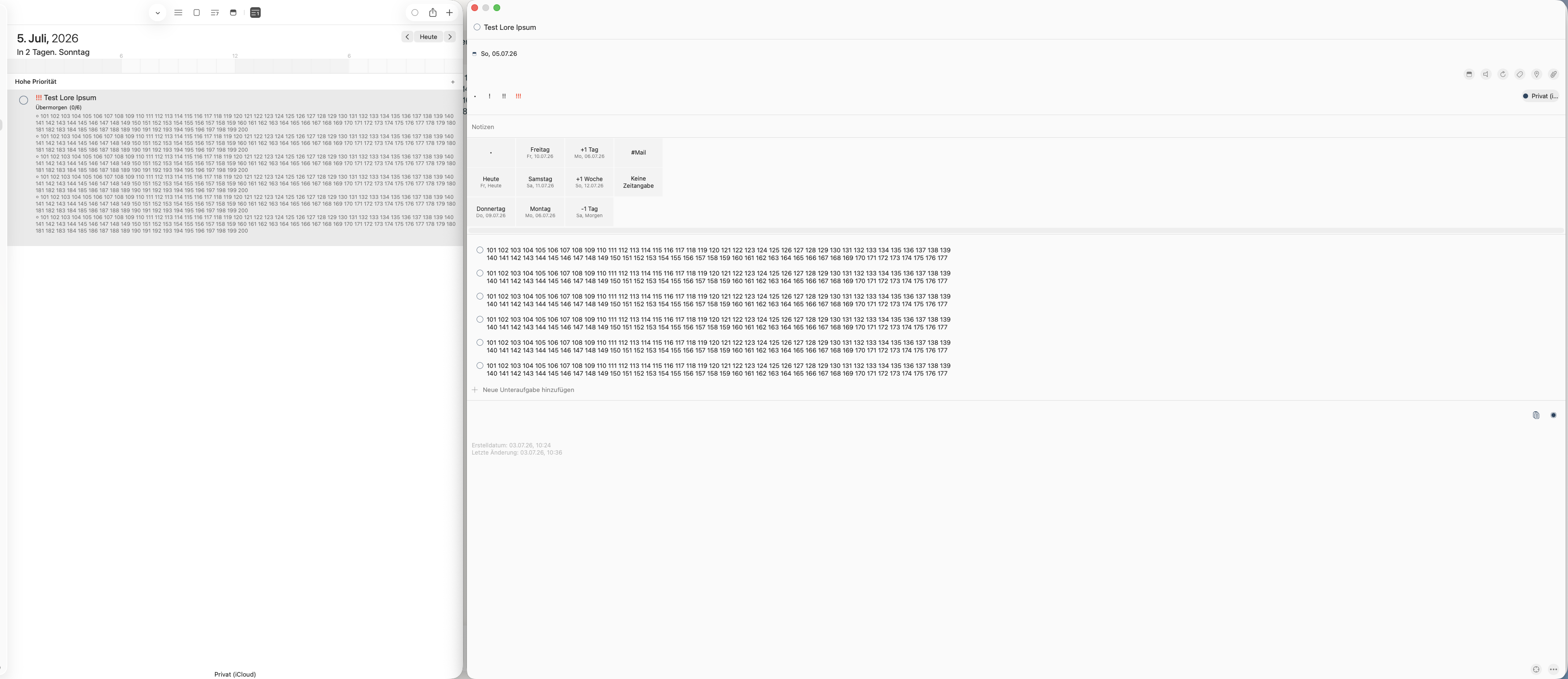
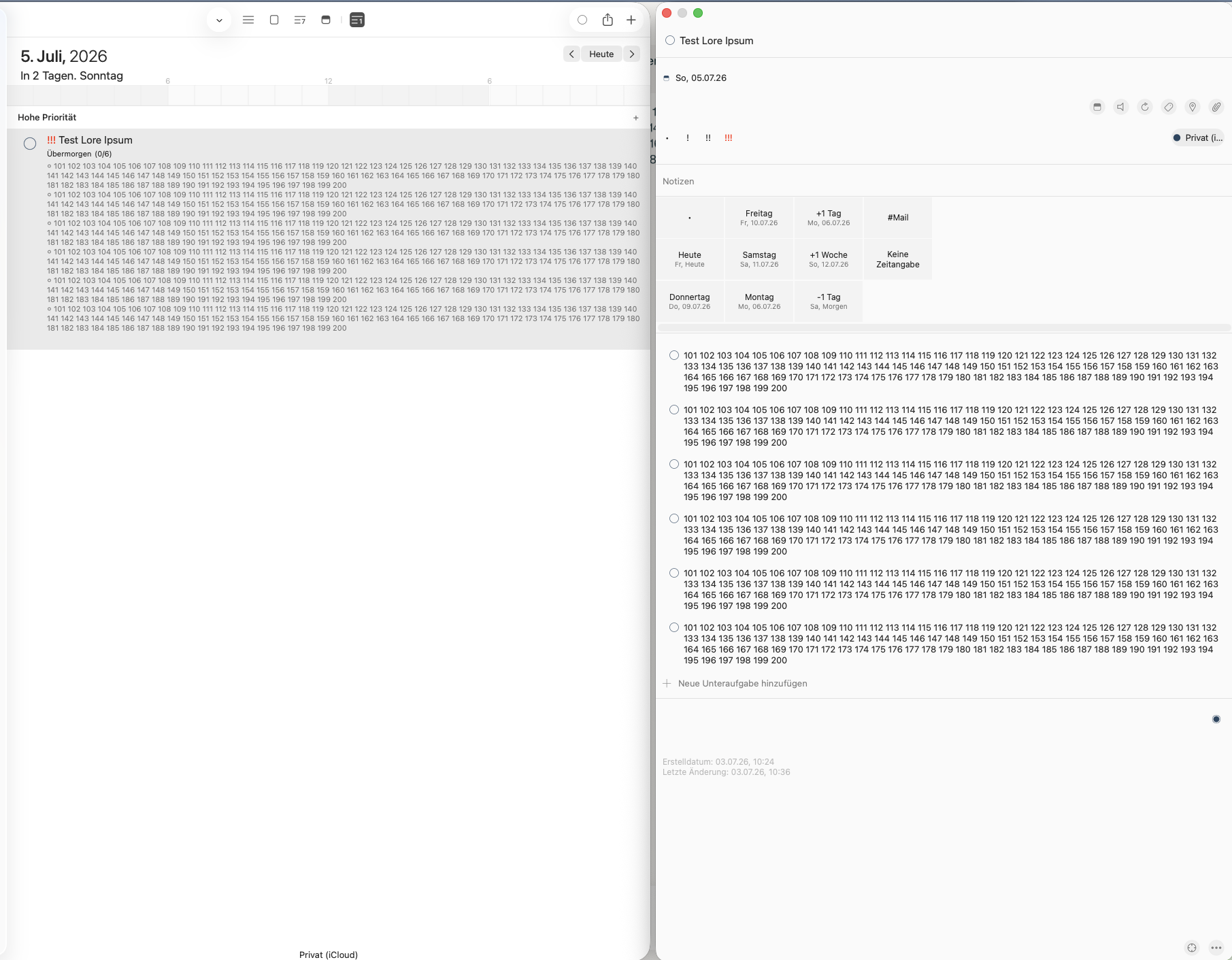
It apparently depends on how wide the details pane is.
If the pane is narrower, the subtasks are displayed in full.
The wider I make the window, the less of the subtasks is displayed.
Important: In the Details pane, go to the subtask, place the cursor after the last visible word, and then move the cursor to the right using the right arrow key—you’ll see that there are more words there.