Themes
You can use and make customized themes on GoodTask for iOS.
Go into 'Settings - Appearance - Themes' and you can make a theme on 'Theme Maker - Make New Theme'.
Your saved theme will go into the list and you can choose it on places using themes.
To share your theme,
- Go into 'Manage Themes'.
- Select a theme to share
- Choose 'Share'
- Copy the text
- Post a topic here and paste the text as a link (or share the text to someone or other places)
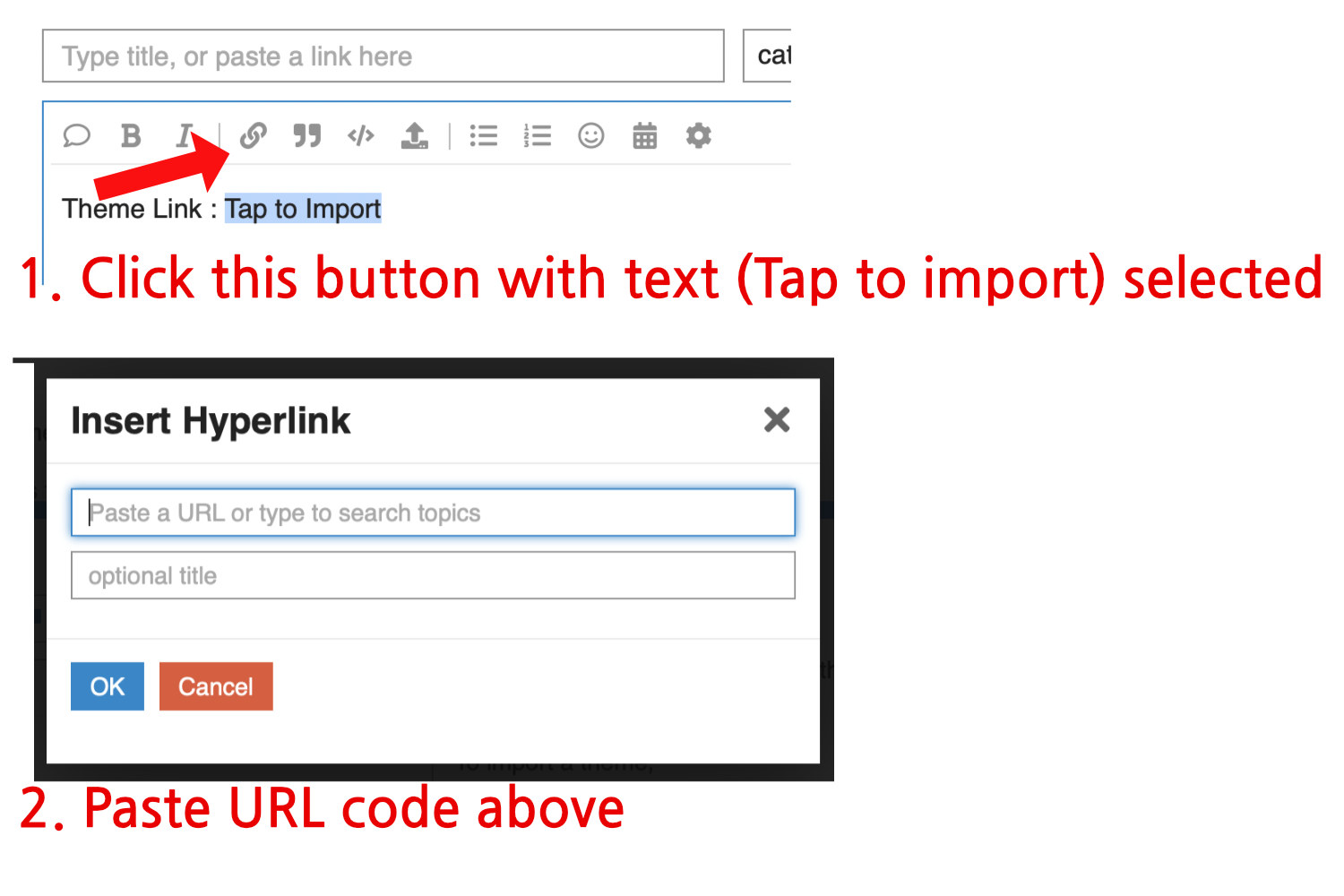
To import a theme,
-
Tap the link on the forum (works for link that's made after v5.8.6).
-
Link starts with goodtask3://theme?data=XXX
For previous themes with codes,
-
Copy the text code that's been shared by others
(Tap copy button at the right end if it's one line text or manually copy the code)
(If you're manually copying the code, make sure you copied all the text. = or == could be missing at the end when it's automatically selected) -
Inside 'Settings - Theme', choose 'Import Theme'.
-
If the code is on the pasteboard, it'll ask you to import it or not.
-
If it's not on the pasteboard, you can paste it directly in the pop-up.
Widget Themes
You can share and import widget themes like app themes.
- Tap the link on the forum (works for link that's made after v5.8.6).
Link starts with goodtask3://wtheme?data=XXX and importing pop-up will show as you tap it.
Quick Actions and Templates
You can also share Quick Actions and Templates from version 6.5. Link starts with goodtask3://qa?data=XXX for Quick Actions and goodtask3://template?data=XXX for templates.
Quick Actions can be shared inside 'Settings - Quick Actions'. Tap an action and choose Share. You can copy the text and share. Same goes for templates under 'Settings - New Task - Templates'.
.
Thanks!
